
Download SysTools E01 Viewer Pro – E01 Viewer, forensic software, digital evidence analysis, data recovery, E01 file viewer, file recovery tool, digital forensics tool, E01 file analysis
Overview
SysTools E01 Viewer Pro is a specialized tool designed for digital forensic professionals tasked with analyzing E01-formatted evidence files. E01 files, commonly generated by forensic imaging tools, contain disk images used in legal and investigative contexts. This application enables users to browse, preview, and analyze multiple E01 files simultaneously, supporting a wide range of file formats and storage types. Its primary purpose is to streamline the forensic examination process by offering a secure, efficient, and user-friendly interface for accessing critical data without requiring full disk restoration.
The software is tailored for investigators, law enforcement agencies, cybersecurity professionals, and IT compliance officers who need to review digital evidence in a structured and reliable manner. It supports various imaging applications, ensuring compatibility with data collected from diverse forensic tools. Real-world use cases include incident response, internal audits, intellectual property investigations, and legal proceedings where digital evidence must be preserved and examined. The tool plays a vital role in the digital forensics ecosystem by offering a lightweight yet powerful solution for evidence assessment.
Developed by SysTools Software, a company known for forensic and data recovery solutions, the application reflects a focus on precision and accessibility. Although the developer did not provide additional technical details, the app’s features suggest a strong emphasis on usability and functionality. Its multilingual support further enhances its global relevance, making it suitable for forensic teams across different regions.
Key Features & Functionality
- Multi-file Support: Users can open and analyze multiple E01 files at once, enabling efficient comparison and cross-referencing of digital evidence. This is particularly useful during large-scale investigations involving data from several devices.
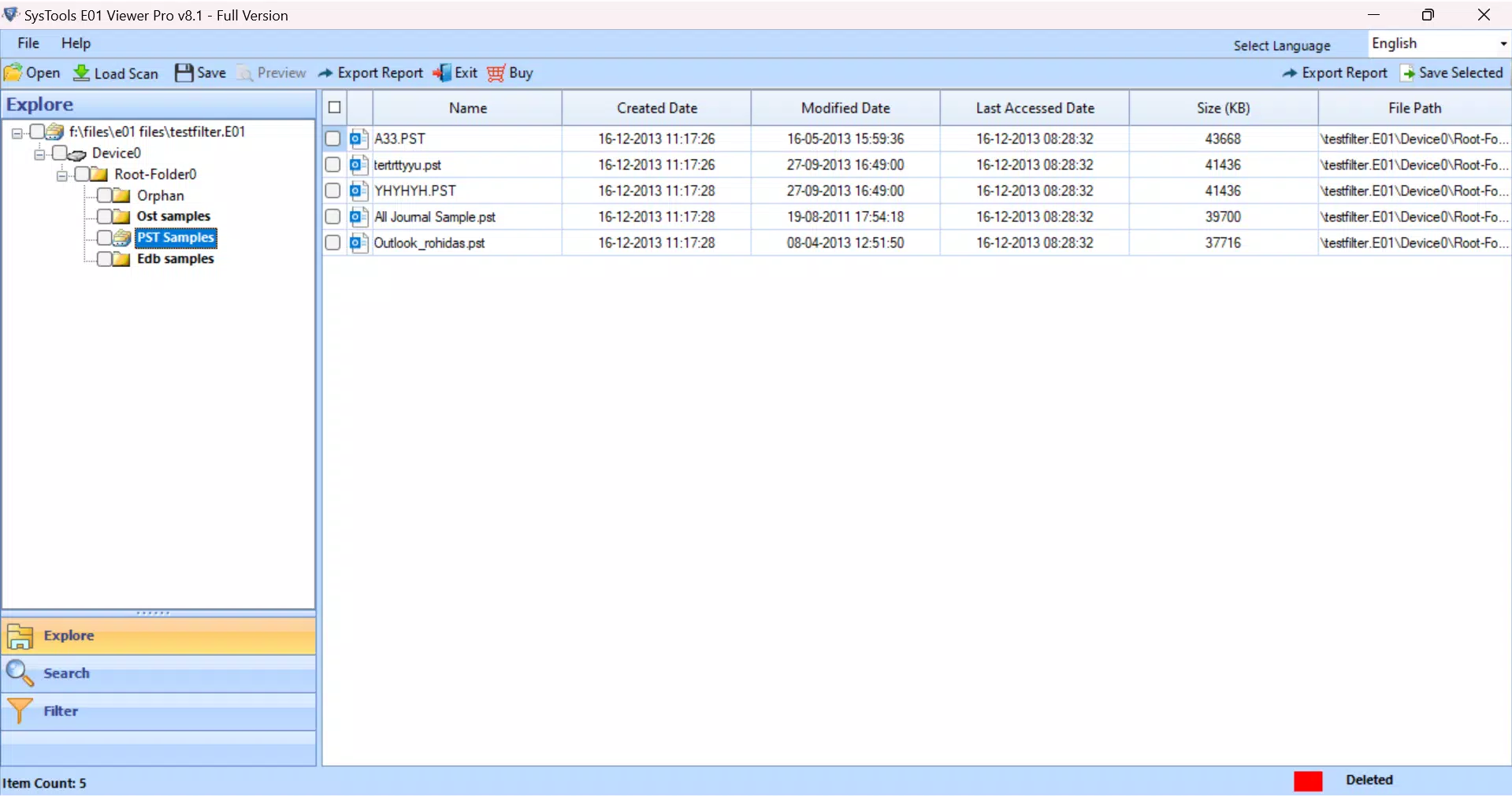
- Comprehensive File Preview: The software supports a broad range of file types, including emails (MSG, EML), documents (PDF, DOC), and multimedia (JPG, PNG), allowing investigators to preview content directly without extraction.
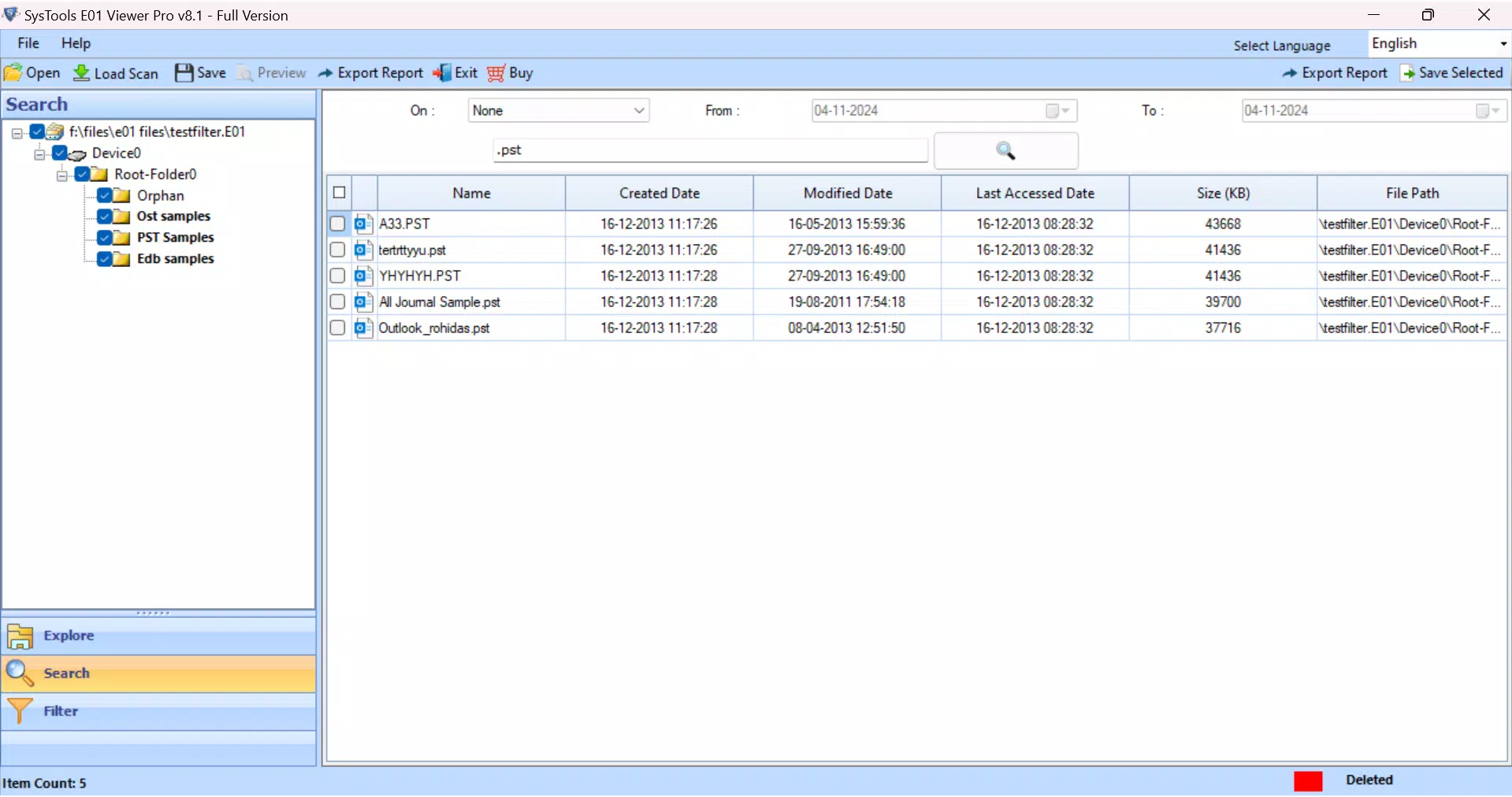
- Advanced Filtering Options: Built-in filters help users quickly locate specific file types such as documents, images, or deleted files. This accelerates the identification of relevant evidence within large datasets.
- Wide Language Support: With support for over 20 languages, the tool ensures accessibility for forensic professionals worldwide, reducing language-related barriers in international investigations.
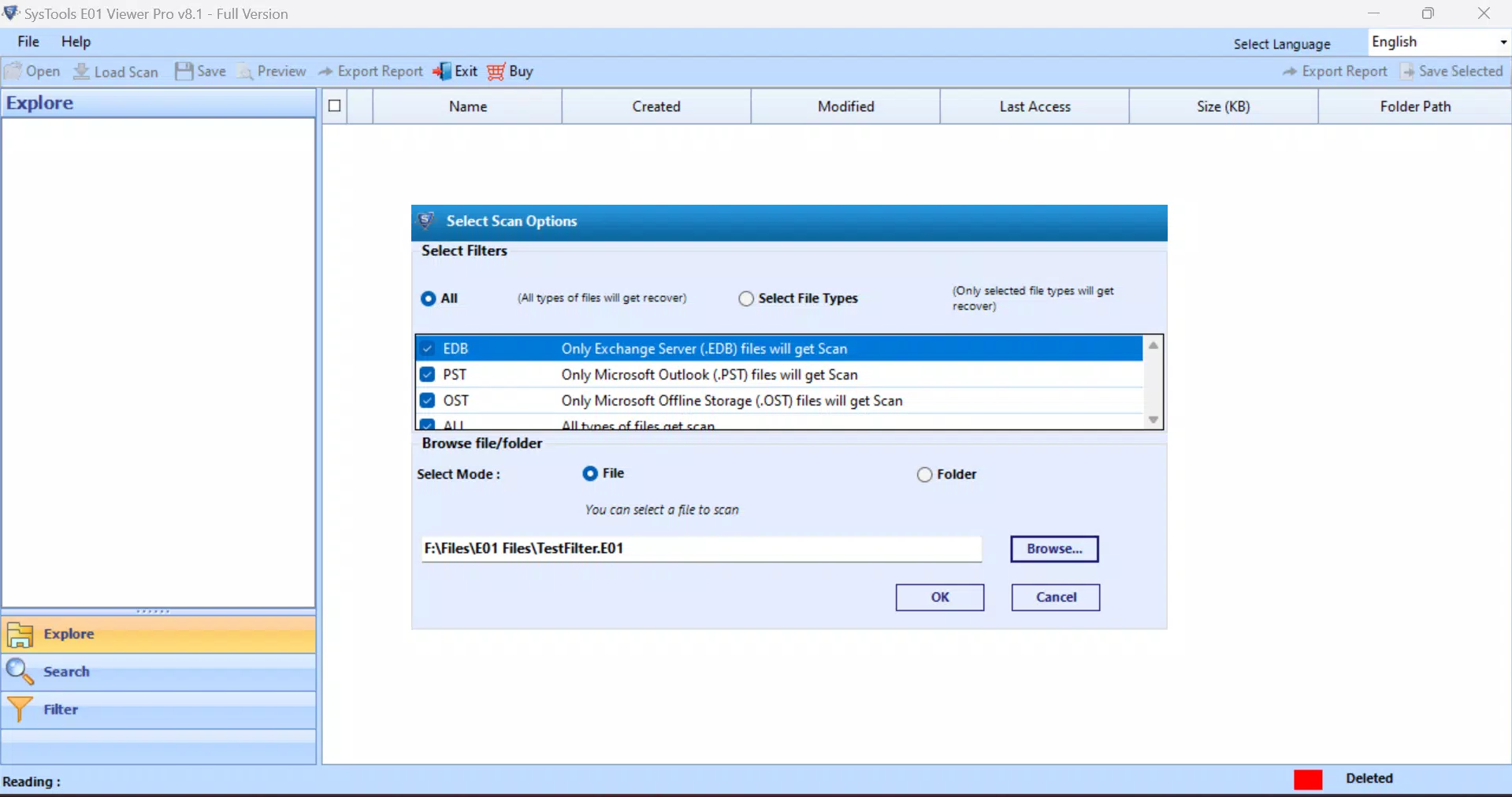
- Drive Scanning Features: The software can scan drives formatted with FAT16, FAT32, and NTFS file systems, aiding in the recovery of hidden or deleted data during forensic analysis.
These features collectively enhance the efficiency and accuracy of digital evidence examination. For example, an investigator reviewing a suspect’s laptop image can use the filtering system to isolate all email files and review them in context. Similarly, the ability to preview files directly helps avoid unnecessary data extraction, preserving the integrity of the original evidence.
Interface, UX & Performance
SysTools E01 Viewer Pro presents a clean, organized interface designed for clarity and ease of navigation. The layout prioritizes functionality, with intuitive menus and a logical workflow that guides users through file loading, previewing, and filtering. Visual design elements are minimalistic, focusing on usability rather than aesthetic flair, which aligns with the tool’s professional purpose.
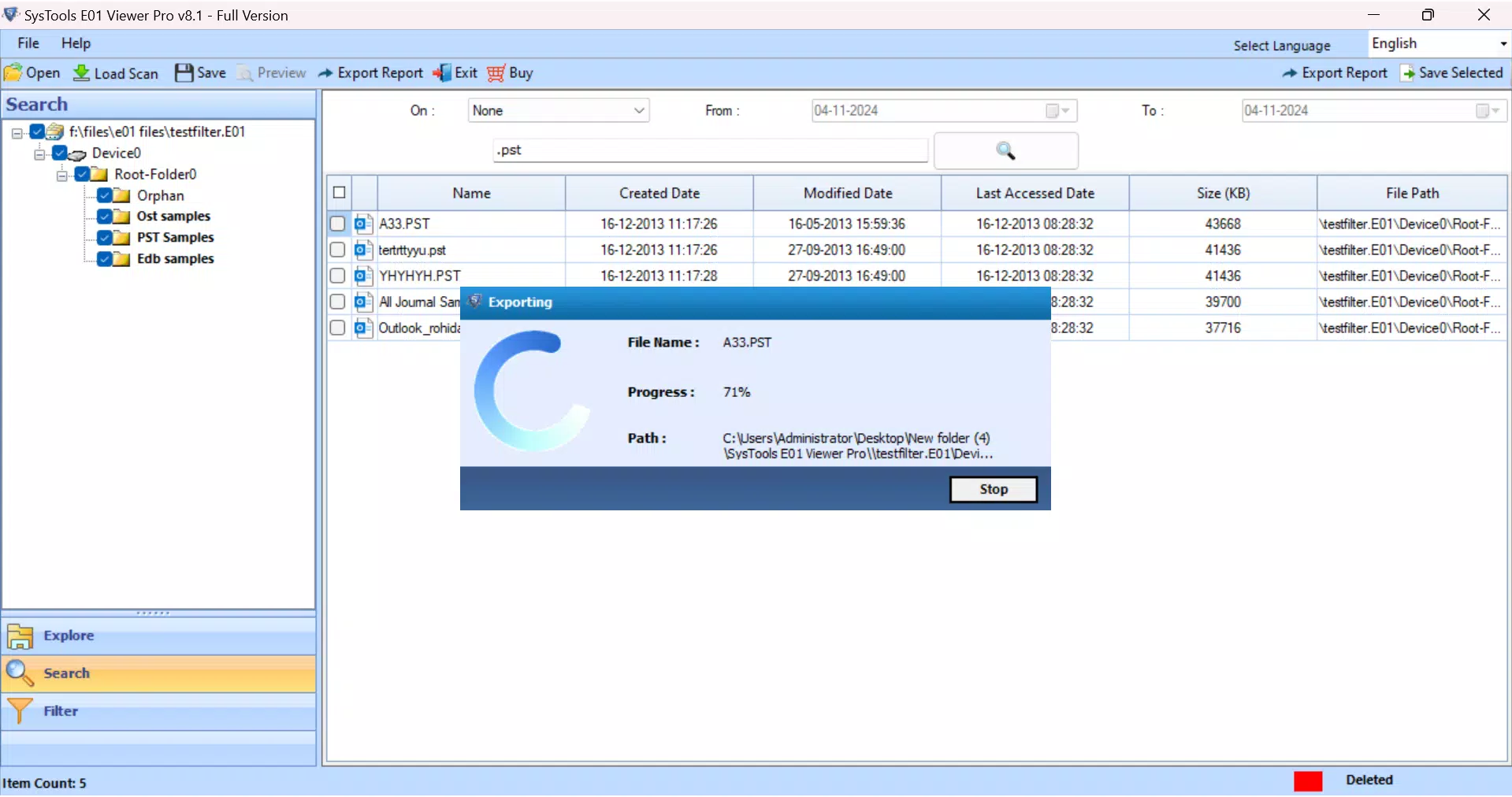
Navigation is straightforward, with clear labels and consistent interaction patterns. Users can load E01 files via drag-and-drop or file browser, and the interface updates in real time to reflect the selected data. The tool maintains responsiveness even when handling multiple large files, though specific performance metrics were not disclosed. The developer did not list formal performance metrics, but the application’s ability to manage concurrent file analysis suggests optimized resource handling.
Stability appears robust, as the software is designed for professional use where data integrity is critical. Although no information was provided about crash rates or memory usage, the absence of reported issues in the official documentation implies a reliable runtime environment. The application is compatible with several Windows versions, ensuring broad accessibility across enterprise and investigative workstations.
Platform Compatibility & Technical Requirements
SysTools E01 Viewer Pro is designed exclusively for the Windows operating system. It is available in version 2.0 and has a file size of 20.1 MB, indicating a lightweight footprint suitable for deployment on standard desktop and laptop systems. The application does not require extensive hardware resources, making it accessible even on older or mid-tier machines used in forensic labs.
The developer did not specify minimum OS requirements, nor did they list compatibility with specific Windows versions beyond general support. Users are advised to verify system compatibility with their installed Windows environment. No information was provided regarding cloud integration, mobile access, or cross-platform availability. The software is intended for desktop use only, with no indication of Android or iOS support.
Pros and Cons
Pros
- Supports simultaneous analysis of multiple E01 files for efficient investigations.
- Offers comprehensive file preview for common formats like PDF, DOC, MSG, and JPG.
- Includes advanced filtering to locate specific file types and deleted data quickly.
- Wide language support enhances usability for international forensic teams.
- Lightweight design with a small file size (20.1 MB) ensures fast installation and low system impact.
Cons
- Platform is limited to Windows; no support for macOS or Linux systems.
- Specific OS requirements were not listed, which may cause uncertainty for some users.
- No mobile or web-based version available for on-the-go access.
- Price point of $49.00 may be considered high for individual or small-scale users.
- Developer did not provide detailed performance benchmarks or system resource usage.
FAQ
Is SysTools E01 Viewer Pro safe to download and use?
Yes, the software is developed by SysTools Software, a recognized provider of forensic tools. As long as the download is obtained from the official source, the application is considered secure for professional use.
Can I use this tool on macOS or Linux?
Currently, the application is only available for Windows. There is no official support for macOS or Linux systems.
Does the software require a license or subscription?
Based on the pricing model, SysTools E01 Viewer Pro appears to be a one-time purchase. No recurring subscription fees were mentioned in the provided information.
How often are updates released?
The developer did not specify an update schedule. Users are advised to check the official website for the latest version and security patches.
Can I recover deleted files using this tool?
While the software can identify and preview deleted files within E01 images, it does not perform full data recovery. Its primary function is analysis and preview, not restoration of lost data.
Final Thoughts
SysTools E01 Viewer Pro stands out as a focused, reliable tool for digital forensic professionals who need to examine E01-formatted evidence files efficiently. Its ability to handle multiple files simultaneously, combined with robust preview and filtering capabilities, makes it a valuable asset in investigative workflows. The multilingual support and lightweight design further enhance its appeal for global forensic teams.
While its Windows-only availability and one-time purchase model may limit accessibility for some users, the tool delivers strong functionality for its intended audience. For investigators, cybersecurity analysts, and compliance officers, it offers a secure and streamlined way to analyze digital evidence without the need for complex recovery processes.
Download SysTools E01 Viewer Pro now


